



Tuesday, June 9, 2020
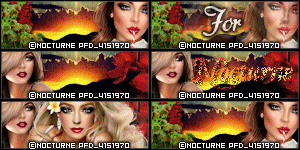
CT tag featuring the beautiful art of
Steve Baier using his tube 6-3.
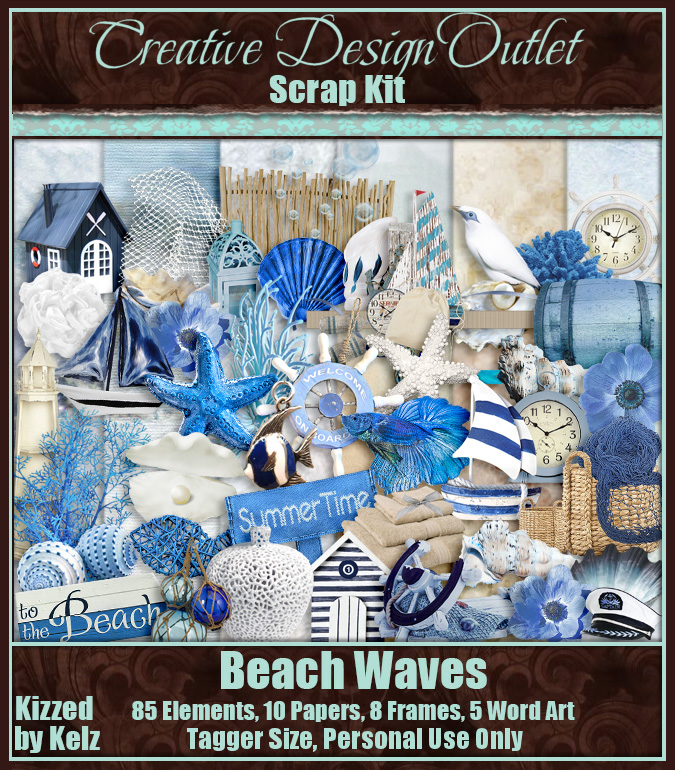
I am also showcasing the wonderful scrap
Beach Waves by Kizzed by Kelz.
This gorgeous mermaid is looking
for her wayward sailor. It seems his
ship has not yet returned to dock.
She eagerly waits for him to appear
on the wharf.

Monday, June 8, 2020

This tutorial was written on June 8,2020
Any resemblance to another
tutorial is purely coincidental.
I am using the tube
The branch and the owl by Zindy.
Mask: AKK_Mask035 by Karmalized Scraps
Textures:Light and Sparkles Pack by ALP-Stock
Plugins:
Mura's Meister Copies
VM Natural
Toadies
Filter Factory A
Open up a tube of choice.
Open up a 700x700 new image.
On your Materials palette, choose a color
from your tube for the Foreground/Stroke Color.
Hide the Background/Fill color for now.
Select your Ellipse Preset Shape tool.
Set the Width at 7.00 & make sure the
circle option is selected.
Draw out a circle to desired size.
Objects - Align - Center In Canvas
Convert to Raster.
Copy & paste a tube layer underneath
the circle layer. Apply the plugin
Mura's Meister Copies: Wallpaper Rotate
with Default Settings.
Duplicate the layer once.
Rename the layers as Tube1 & Tube2.
Tube2 being the top duplicated layer.
Open a texture of choice.
I resized the one I used by 30% but this
may vary depending on the size of your textures.
Copy & paste as a new layer above the other layers.
Click inside the circle shape layer with your
magic wand tool.
Add (Shift)
RGB Value
Tolerance 0
Contiguous & Anti-Alias checked
Selections - Modify - Expand 3.00
Selections - Invert.
Select the two tube layers one at a time
pressing delete on each of them.
Repeat with the texture layer.
Select none.
Rename the layer as Tex1
Select the layer Tube2.
Apply the plugin VM Natural Splash!
with the settings below.

Toadies - Glasswork Colour -Default settings
Change the blend mode on this layer to Screen or
one that compliements the tag.
Add a drop shadow of choice to the layers of the tag
we have so far. If you need to, you can hide Tube2 & Tex1
layers while we are working on Tube1 layer.
Apply the plugin Convolution Filters - Sharpen.
Set your sharpen to 33.
Apply the plugin Filter Factory A -
Marble Madness One with the settings below.
Change the blend mode on Tube1 to Hard Light.

Unhide Tube1 layer & lower the opacity to about 57.
Duplicate the Tex1 Layer & Move below the other layers.
Rename it Tex2.
Back on Tex1. change the blend mode to Soft Light.
Copy & paste your tube as a new layer. You want it the top
layer of your tag. I resized the tube 85%. I also erased part of
it that was past the tag area. Add a drop shadow to the tube layer
Select the Rectangle Preset Shape Tool.
Width set to 0.
On your Materials Palette, switch the two colors.
You want the Foreground hidden & the background to be the
same color as your circle shape.
Draw out a rectangle that extends just past the circle shape layers.
Convert to raster. Arrange this layer just below the top layer of the tag.
Click inside the circle shape layer with your
magic wand tool.
Add (Shift)
RGB Value
Tolerance 0
Contiguous & Anti-Alias checked
Selections - Modify - Expand 3.00
Selections - Invert.
Press delete on the rectangle layer & reduce the opacity to 53.
Be sure to add a drop shadow to the layer also.
Choose your font tool & select a font of choice.
I also chose a light color for the text color.
Type out a single word to be on the rectangle layer.
Be sure to drop shadow the word & to convert to raster.
Resize a 2nd Texture of choice.I did 40%
for the one I chose. Paste as a new layer
above the bottom layer of the tag.
This will be your mask layer.
I used the mask AKK_Mask035.
Merge group.
Resize 94% if you wish.
Crop your tag to desired size.
Add artist copyright info & a name.
Save as png.
Thanks for trying my tutorial.
CT tag & wallpaper featuring the gorgeous
art of Keith Garvey using his tube 279-2.
I am also showcasing the oh so pretty
IB Keith Garvey 279-2 Scrap
by Ladyhawwk Designs. The
wallpaper is 1920x1080 & available
here for download. Don't let
life harden your heart. The world
needs more kindness & softness of
the heart. It is too easy to lose
that in the world. Only with
a soft heart can someone
care & help & love other
human beings & animals.


Sunday, June 7, 2020
CT tag & wallpaper featuring the gorgeous
art of Verymany using their tube Justine.
I am also showcasing the wonderful
scrap Justine by Wicked Princess Scraps.
The wallpaper is 1920x1080
& available here for download.
Confidence in a woman is more sexy
than anything they could wear.
A woman that truly loves & knows
herself is more attractive in every way.
Being self assured in herself, she
can help other women find their
inner confidence & beauty.


Thursday, June 4, 2020
CT tag & cluster by me featuring the
art of Melissa Dawn using her tube 14-1.
I am also showcasing the very pretty
scrap Sunflower Seeds by Sams Scraps.
You can find the link for the cluster
below the preview.
This sweet kitty loves to scamper around
in the patch of Sunflowers. The flowers
grow so tall & she has such fun
running around their stems outside.


The cluster is available here
for download.

New tag by me today featuring the
art of Keith Garvey using
his tube 273-1. I am also
showcasing the pretty scrap
Tulips by Kizzed by Kelz.
"Tulips were a tray of jewels."
- EM Forster, Howards End


Wednesday, June 3, 2020
I designed with the wonderful collab
DadandMe by the designers Doodle by Design &
Karmalized Scraps. I am also showcasing the tubes:
Anna Liwanag 79-2 here
Cuggly Rigor Mortis 88-2 here
Cuddly Rigor Mortis 105-3 here
The wallpaper is 1920x1080 &
available here for download.
The collab is available here for purchase.
Kids love going on adventures with
their dads. Not much gets boys more
excited than playing outdoors & getting
dirty. Throw in camping & fishing with
dad & the boys are all ready to go.


Subscribe to:
Posts
(Atom)
Zone Award