



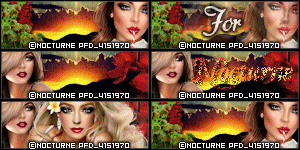
CT tag featuring the fantastic art of
Keith Garvey using his tube 144-1.
I am also showcasing the oh so lovely
scrap Rainy Days & Mondays by
“Good, old-fashioned ways keep hearts sweet,
heads sane, hands busy.”
― Lousia May Alcott
“Fashion doesn't make you perfect,
but it makes you pretty.”
― Amit Kalantri, Wealth of Words
“Take care of your costume and your confidence
will take care of itself.”
― Amit Kalantri, Wealth of Words


Our minds can be wonderful things or
dangerous scary places that we reside.
Its always with us & we truly can't
escape it. Oh we can distract ourselves
for awhile from it - but eventually we
will be left alone with our thoughts.
Thoughts that lie to us but sound just
like ourselves - our own voice.
& its damn hard not to listen to that voice.
To not believe what its telling us.
It truly is a war within our own minds.
& mine has been starting to rage again
as of late. Making me overthink
& to question little things or to doubt.
The rage is quiet yet loud at the same time.
Its hard to hell to quiet that voice -
to ignore what it whispers or screams at you.
& to voice to others close to you what
it says - or how it makes you feel.
How do you voice the horrible things
your own mind is saying &
making you feel? I try sometimes -
but sometimes its easier to just be quiet.

CT tag & snags featuring the beautiful
art of Anna Liwanag using her tube 124-1.
I am also showcasing the oh so pretty
IB Cuddly Rigor Mortis July 2021
Bonus Tube Scrap by Ladyhawwk Designs.
She's walking outdoors to pick a few more blooms.
She just loves the smell of fresh flowers indoors.
The flowers are so colorful and fragrant in
their scent that they perfume the air.
Artist is currently selling at DAH.


When things have been going really well,
but you can't help but doubt it- to
question it. The darkness is still there-
waiting to breathe again. You don't say a
word about it. Maybe you don't have the
words to these feelings.
That happens a lot.
Yet find yourself starting
to stare down alleyways of your mind
that maybe you shouldn't.
Or telling yourself that you shouldn't
plan certain things b/c why bother.
The depression monster isn't gone -
just lying in wait.

CT tag & matching wallpaper featuring the art
of Anna Liwanag using her tube 126-2.
I am also showcasing the wonderful IB
Pinup Toons 195-3 Scrap by Kizzed by Kelz.
The wallpaper is 1920x1080 & available
to download here. Sometimes a girl just
needs some sweets in her life. One cannot
deny themselves a sweet or two in life.
A soda with a meal or a cupcake for dessert..
does the soul good. Making cupcakes
does even more good for you. Its really
therapeutic to those that love to bake.
Artist is currently selling at DAH


CT timeline featuring the fantastic art of
Enamorte using her tube 37-1.
I am also showcasing the super
creepy scrap Midnight Madness
Which is the true nightmare, the horrific dream that
you have in your sleep or the dissatisfied reality
that awaits you when you awake?
Justin Alcala


This tutorial was written on July 11th, 2021
Any resemblance to another
tutorial is purely coincidental.
I am using the art of Queen Uriel
using her tube Pride Month 2021.
Plugins:
Mura's Meister's Copies
Xero Porcelain
VM Natural Splash!
EyeCandy4000 Gradient Glow
Preset Shape:
dbmmisc04
Open a 700x300 new image.
Open up your tube of choice.
Copy & Paste your tube as a new
layer onto your blank image.
Duplicate the tube layer once.
Rename the duplicate to Top Tube.
Hide the tube copy layer for now.
Make sure the original tube layer
is selected in your layer palette.
Rename the layer as OG Tube.
Apply the plugin Mura's Meister Copies:
Wallpaper rotate with default settings.
Also apply the plugin Xero Porcelain with default settings.
Duplicate the OG Tube layer once.
Rename the layer OG2.
Apply the plugin VM Natural Splash! Default.
Go to Effects - Edge -Enhance once.
Lower the opacity on this layer to 44%.
Select your Rectangle Preset Shape tool.
Width doesn't matter right now.
On your Materials Palette, Hide the
Foreground/Stroke color for now.
Choose black or white for the Background
color. It doesn't really matter.
For this part, I took a preset shape called
dbmmisc04 & modified it to work for my purpose.
I drew out the shape on a new image 700x700.
Color black or white it doesn't matter.
Draw it out to desired size. Using your selection tool,
draw around the top rectangle. Once selected, right click
& promote to new layer. Select none.
Move the promoted layer to just above the below shape.
Merge together.
Now, apply the plugin Mura's Meister Copies: Tiling w/
default settings. If needed, trim off any excess rectangle shapes.
You only want 6 rectangles per column. I have 3 columns of
6 rectangles each.
Copy & paste as a new layer onto your tag image.
Rename the layer as Pride colors.
Now, we're going to fill each row going across,
with a color of the Pride Rainbow.
The order of the colors starting at the top are:
Red
Orange
Yellow
Green
Blue
Purple.
Make sure you fill each of the rectangles going across
per row (not column). Also, if you aren't doing a Pride
themed tag, feel free to change the colors to fit your tag.
Change the blend mode on the colors layer to Soft Light.
Select your Top Tube layer in your palette. Now, select your Preset
Shape Tool again. You want to use an angled heart shape &
set width to 3.00 Set your color to white in your Materials Palette.
Hide your Background color for the moment & unhide your Foreground one.
Draw out a white heart. I did 334x260 for mine. Convert
the shape to raster layer. Position the heart on the
bottom right corner of your tag. Rename the heart shape as Heart1.
Now, move your Top Tube layer so its inside of the heart shape.
Select your magic wand tool. Make sure you are on the Heart1 layer.
Click inside your heart to select it.
Selections - Modify - Expand by 2. Selections invert.
In your layer palette, select your Top Tube layer & press delete
on your keyboard. Select none. Add a drop shadow to the Heart1 layer.
Add a new raster layer. Fill this layer with white.
Select the layer using your Magic Wand. Selections Modify-Contract by 4.
Press delete. Select none.
Apply plugin EyeCandy4000 Gradient Glow - using Black Halo &
set the Glow Width to 3.00.
Select your Text tool. Set your Background color to white.
Choose a font of choice & size preference. Type out words of choice.
I used Love Is Love. Convert text to raster. I positioned the wording on
top left corner of my tag. This way its diagonal from the heart shape.
Merge layers visible. Add artist copyright info & a name to your tag.
Save as PNG. Thanks bunches for trying my tutorial.
Zone Award